
A Protected deal keeps the money safe. The buyer pays. The money waits in a hold. The seller sends it. When it arrives, the seller gets paid. Nobody has to go first.
You do not need a wallet to start. The seller makes the deal for your cell number first. Then you open a free wallet with that same number, and the deal is there, waiting for you.
Give the seller your cell number. The seller makes the deal for that number.
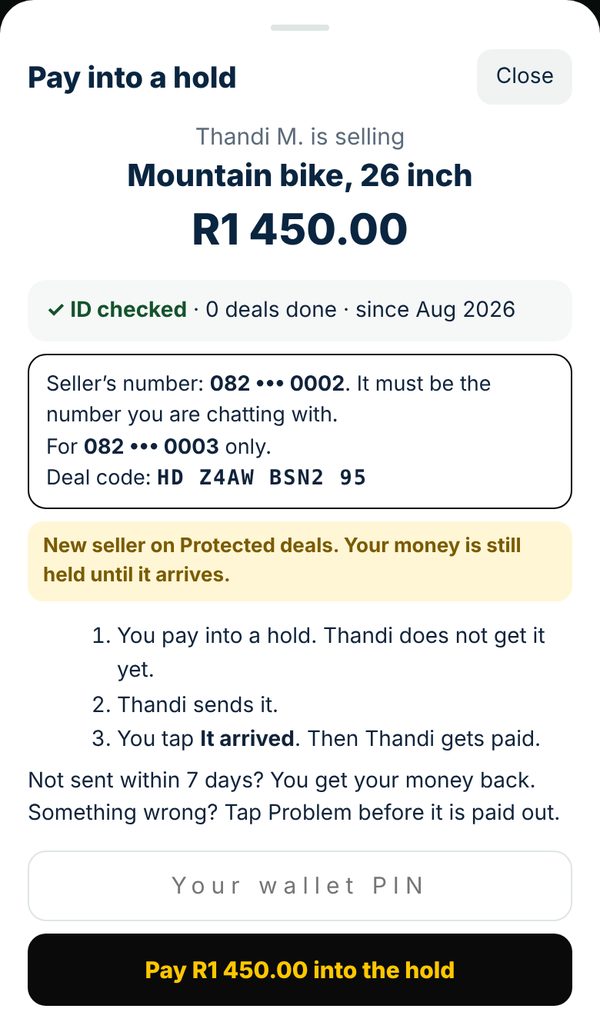
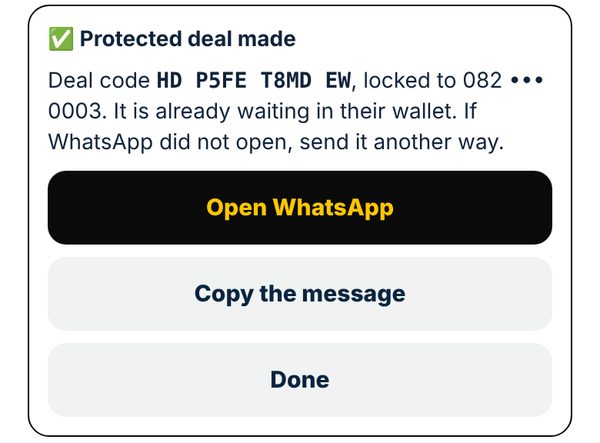
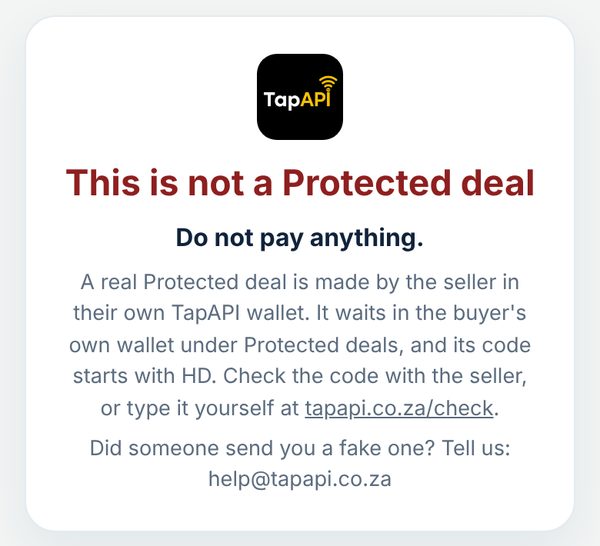
It has a deal code. The code starts with HD.
No wallet yet? On the deal page, tap No wallet yet? Open a free one. Use the same cell number. When it is open, look in Protected deals. The deal waits there.
The deal shows part of the seller’s number. It must be the number you are chatting with.
Type your wallet PIN. Tap Pay into the hold. The seller does not get the money yet. It waits in the hold.
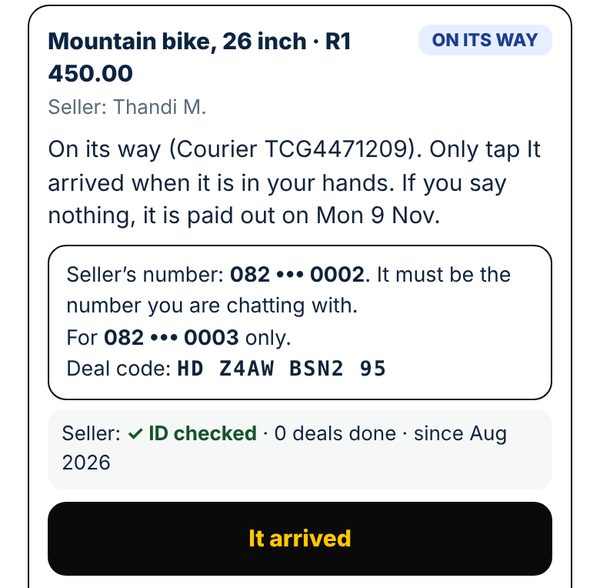
The seller has 7 days to send it. You can see when it is on its way.
Only when it is in your hands. Type your wallet PIN. Now the seller gets paid.
Give 1 to 5 stars. It helps the next buyer.
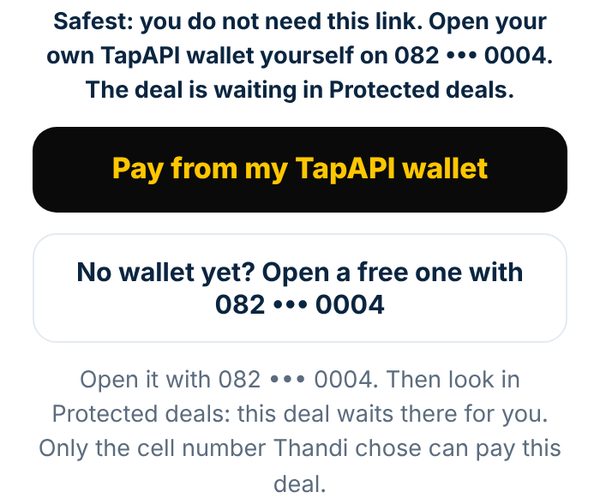
Have a deal code but cannot find the deal? In Protected deals, under Buying, type it in Have a deal code?. Not sure? Tap How buying works.
Paying into a hold is free. You pay from your wallet, so it needs enough money in it for the deal.
Your wallet needs its ID checked first. You need the buyer’s cell number.
Open your wallet. Tap Menu, then Protected deals, then Selling.
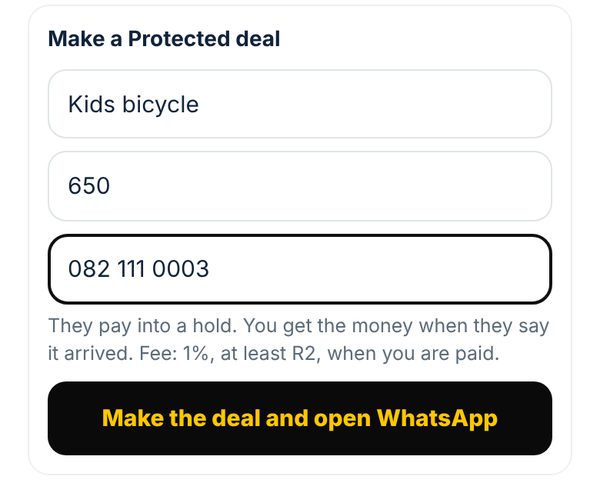
Tap Make a Protected deal. Type what you are selling, the price and the buyer’s cell number. Only that number can pay.
Tap Make the deal and open WhatsApp. Send the message to the buyer. The deal also waits in the buyer’s own wallet.
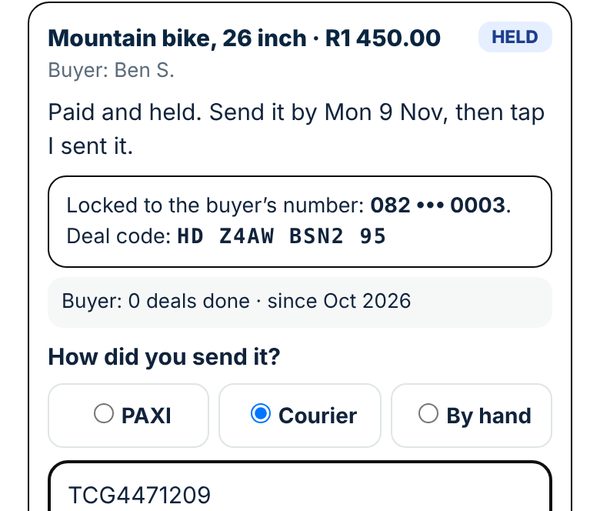
In Protected deals, the deal says HELD when the buyer has paid. The real money is waiting for you.
Send it within 7 days. Tap I sent it. Pick PAXI, Courier or By hand. Type the tracking number.
You get the money when the buyer taps It arrived, or 7 days after you sent it.
Another way: tap Money, then Ask someone to pay me, and turn on Hold the money until it arrives. Not sure? In Protected deals, tap How selling works.
No fee on a deal paid by 31 December 2026. After that the fee is 1% of the price, at least R2, only when you are paid. Every fee.
Saw it on Facebook Marketplace? Look for the seller reference in the advert. It starts with PS.
Type tapapi.co.za/check in your browser. Do not tap a link someone sent you.
Type the seller reference, then tap Check it.
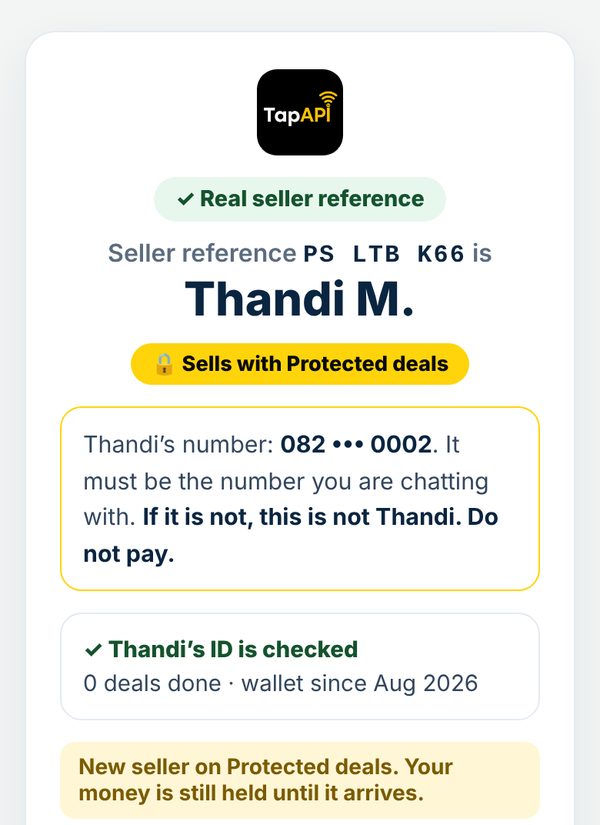
You see the seller’s first name, if their ID is checked, their deals and stars, and part of their number. The number must be the number you are chatting with.
Then ask the seller to make you a Protected deal. Only pay inside your own wallet.
Buyers trust you more when they can check you.
Open your wallet. Tap Menu, then Protected deals, then Selling. Your seller reference is at the top.
Tap Copy for my advert.
Paste it in your Facebook or Marketplace advert. Buyers type it at tapapi.co.za/check.
Tap New reference. The old one stops working. Change it in your adverts too.
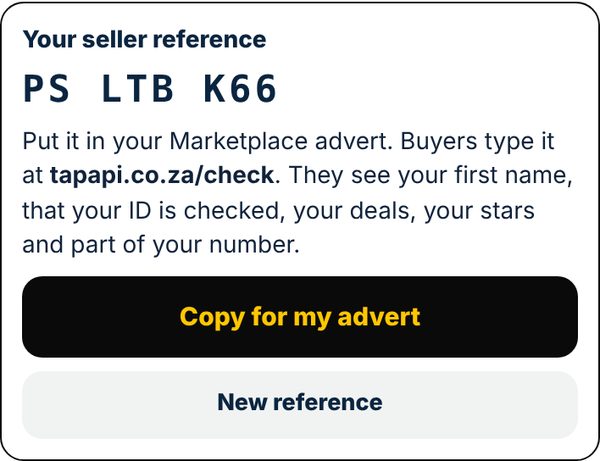
Buyers see your first name and the first letter of your surname, that your ID is checked, your deals, your stars and part of your number. Nothing else.
| A deal can be | R10 to R5 000 |
|---|---|
| Time to send it | 7 days |
| The seller is paid | When the buyer taps It arrived, or 7 days after sending |
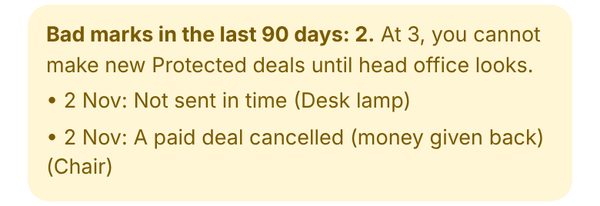
| More time | 7 more days, once |
| Longest hold | 21 days, unless a problem is being looked at |
| The buyer pays | Nothing extra |
| The seller pays | Nothing on a deal paid by 31 December 2026; after that 1%, at least R2, only when paid |
| A new seller | Up to R2 000 a deal, until 3 different buyers have been paid |
The pictures are from a test wallet. Protected deals follow the Protected deals terms.