
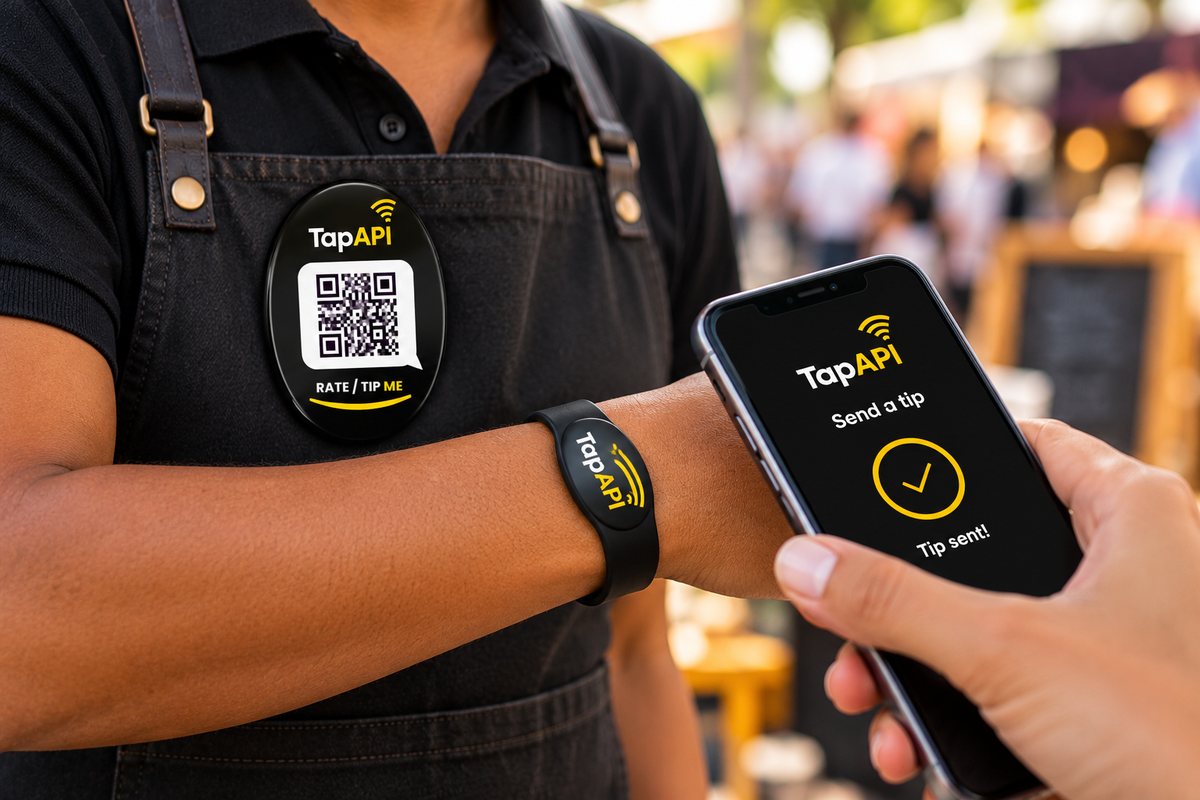
A QR code on its own is only a link. The QR code on a Tip Me badge opens TapAPI’s payment page for your wallet, so the person tipping scans it with their phone camera, chooses an amount and pays by card, PayShap or instant EFT, or free from their own TapAPI wallet. The tip lands in your wallet. Nothing to install, on either side.
Three steps, all on the tipper’s own phone.
Their phone camera reads the QR code on your Tip Me badge. No app to download and no code to type in.
TapAPI’s payment page opens in their browser, linked to your wallet. They choose how much to tip.
They pay by card, PayShap or instant EFT, or free from their own TapAPI wallet. Card and bank details stay on TapAPI’s page and are never given to you.
A printed QR code only opens the link inside it. On its own it cannot take money, and anyone can stick another code over it.
Your badge’s code opens a page that takes the tip and pays it into your wallet. The tipper needs no app and no account.
Each Tip Me badge is linked to one TapAPI wallet, and a wallet can have one badge.
Anyone can tip you with the badge, but paying from your wallet always needs your PIN, which you never share.
A button badge on your shirt or uniform stays with you, where you can see it. A code stuck to a counter can be covered by someone else’s sticker.
A TapAPI wristband works the same way as the badge: the person tipping taps it with their phone instead of scanning.
Spend your tips at any TapAPI shop with a tap and your PIN, buy airtime, data and electricity, or send them to your bank once your ID is verified.
A Tip Me badge is R35 once. Delivery to a PAXI point is R59.95, or get one from a TapAPI shop. There is no monthly fee. Order a Tip Me badge.
A tip from a TapAPI wallet costs nothing. On PayShap, bank or card TapAPI takes no cut: only the payment’s own cost comes off, unless the tipper ticks the box to cover it. What a tip costs.
Restaurants, car washes, hotels and venues can give their staff Tip Me badges in the business’s own brand, with an optional short rating before the tip. Each tip goes to the staff member who earned it. Staff tipping for venues.
You can make a QR code for any link, but a QR code cannot take money by itself: it needs a payment page behind it. A Tip Me badge comes with that page, linked to your TapAPI wallet.
No. Their phone’s camera reads the QR code on the badge and a payment page opens in the browser.
Free from their own TapAPI wallet, or by card, PayShap or instant EFT from their bank on TapAPI’s payment page. Card and bank details are typed only on that page, never given to you.
A tip from a TapAPI wallet costs nothing. On PayShap, bank or card TapAPI takes no cut: only the payment’s own cost comes off, unless the tipper ticks the box to cover it. What a tip costs.
Not without your PIN. Anyone can tip you with the badge, but paying from your wallet always needs your PIN, which you never share.
No. A TapAPI wallet opens free on your cell number. Your tips stay in the wallet until you spend them or, once your ID is verified, send them to a bank account.
Order one online for R35, delivered to a PAXI point, or get one from a TapAPI shop. Order a Tip Me badge.